
Download Ashampoo Backup Pro 26 – backup, data protection, real-time backup, cloud backup, rescue system, OS backup, file backup, partition backup, data recovery, Windows backup
Overview
Ashampoo Backup Pro 26 is a comprehensive data protection solution designed for users seeking reliable and automated safeguards for their digital assets. Built specifically for the Windows platform, this application addresses the critical need for continuous data integrity in an era where hardware failures, malware attacks, and accidental deletions pose constant threats. The app excels in protecting files, folders, system partitions, and entire operating systems, making it a vital tool for both personal and professional environments.
Its real-time backup functionality ensures that any changes to monitored data are captured immediately, minimizing the risk of data loss between scheduled backups. This is particularly beneficial for users working on time-sensitive projects or managing large volumes of evolving data. The inclusion of a rescue system further enhances its utility, offering a lifeline in cases of OS corruption or boot failure, allowing users to restore critical information even when the primary system is non-functional.
Target users include individuals managing personal documents, photographers storing high-resolution media, small business owners handling client data, and IT professionals requiring robust backup solutions. The developer, Ashampoo, has a known presence in the software utility space, with a reputation for delivering stable, user-focused tools. Although specific details about the company’s history were not provided, the app’s focus on reliability and performance aligns with industry standards for data protection software.
Given the increasing frequency of cyber threats and hardware failures, tools like Ashampoo Backup Pro 26 play a crucial role in the digital ecosystem by enabling proactive data preservation. Its ability to operate efficiently in the background with minimal system impact ensures that users can maintain productivity while their data remains secure.
Key Features & Functionality
- Real-Time Backup: Monitors selected folders and automatically captures changes as they occur, ensuring that backups are always current. This is ideal for users who frequently edit documents or media files and cannot afford to lose even minutes of work.
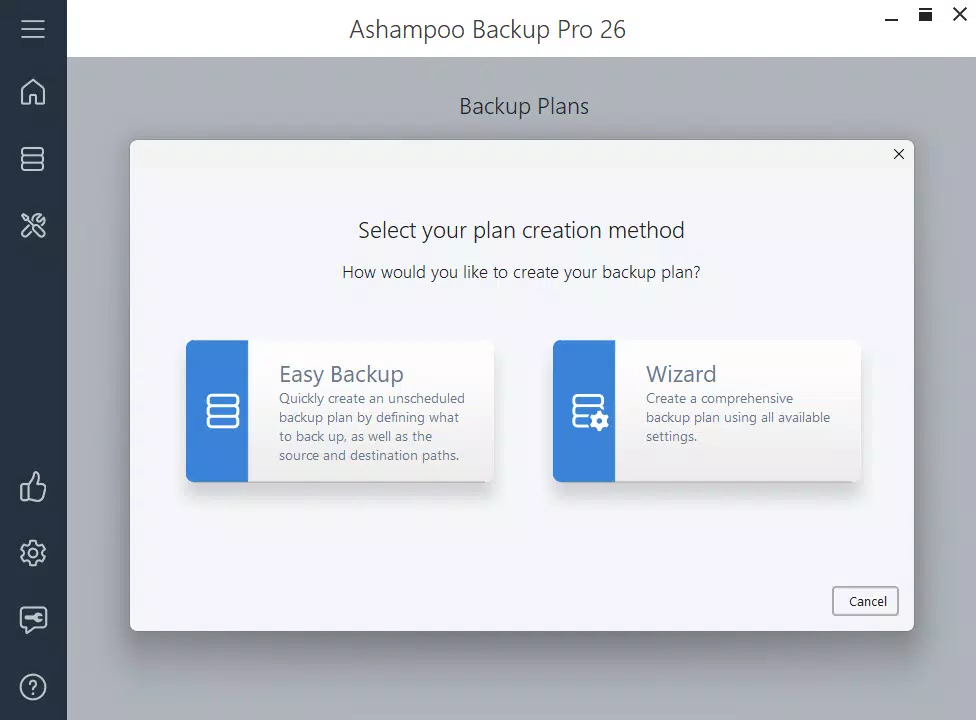
- Easy Backup Creation: Streamlines the setup process into just two steps, reducing the learning curve for new users. This feature is especially valuable for individuals with limited technical knowledge who still need robust protection for their data.
- Comprehensive Storage Options: Supports local drives, external storage devices, and multiple cloud providers, allowing users to choose the most suitable storage method based on accessibility, cost, and security preferences.
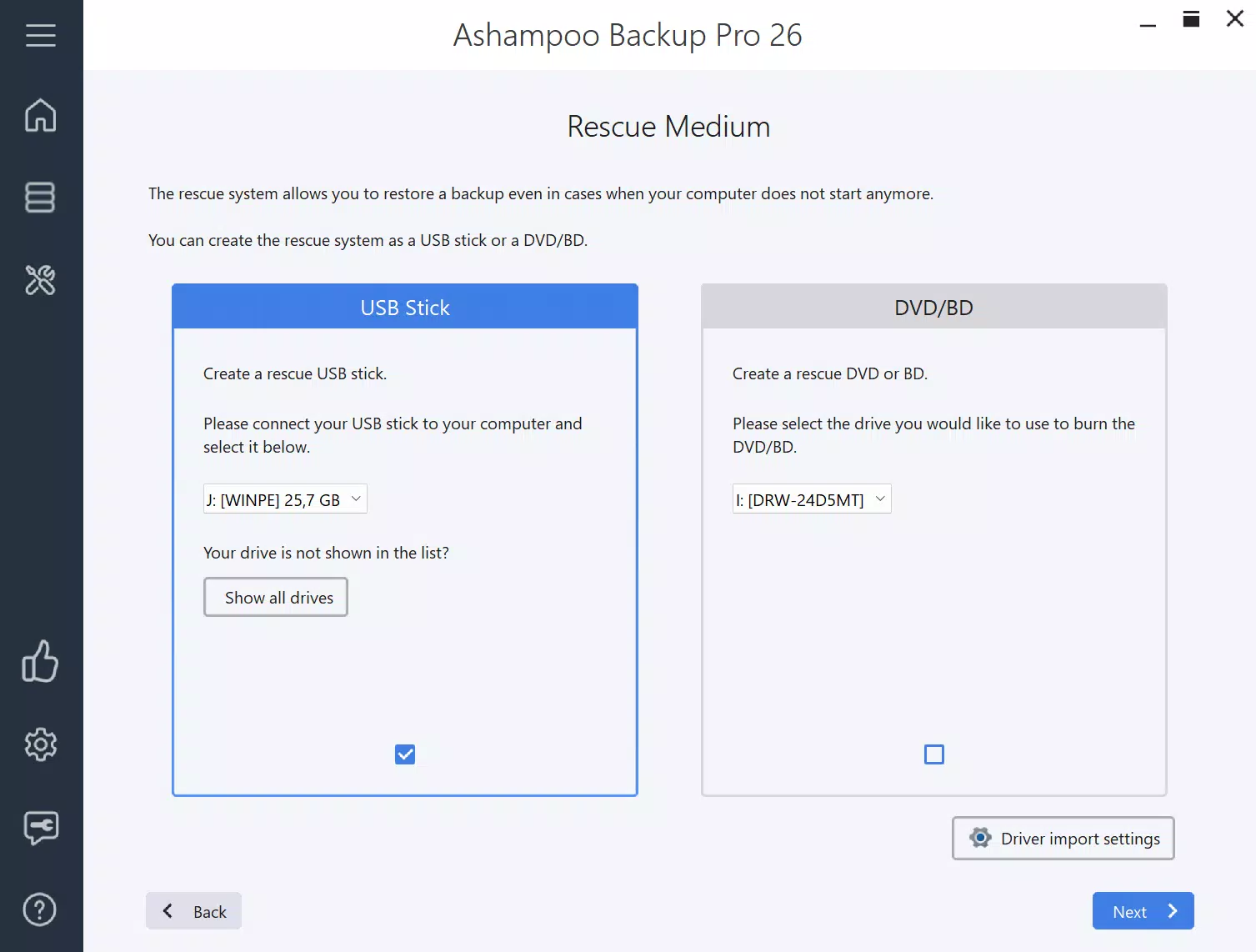
- Rescue System for Emergencies: Generates a bootable recovery environment stored on a USB drive or DVD, enabling users to access and restore their data even when the main operating system is unbootable.
- Enhanced Performance and Stability: Optimized for efficient operation with backup verification and self-monitoring features that confirm data integrity and ensure consistent performance over time.
For example, a freelance graphic designer using Ashampoo Backup Pro 26 can set up real-time protection for their project folders. If their computer crashes during a critical rendering process, they can recover the most recent version from the backup. Similarly, a small business owner can use the rescue system to restore customer records after a ransomware attack, ensuring business continuity.
Interface, UX & Performance
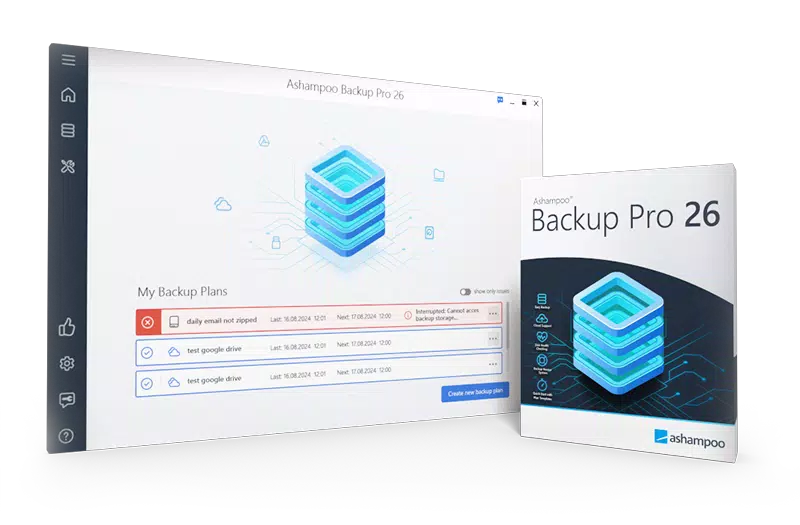
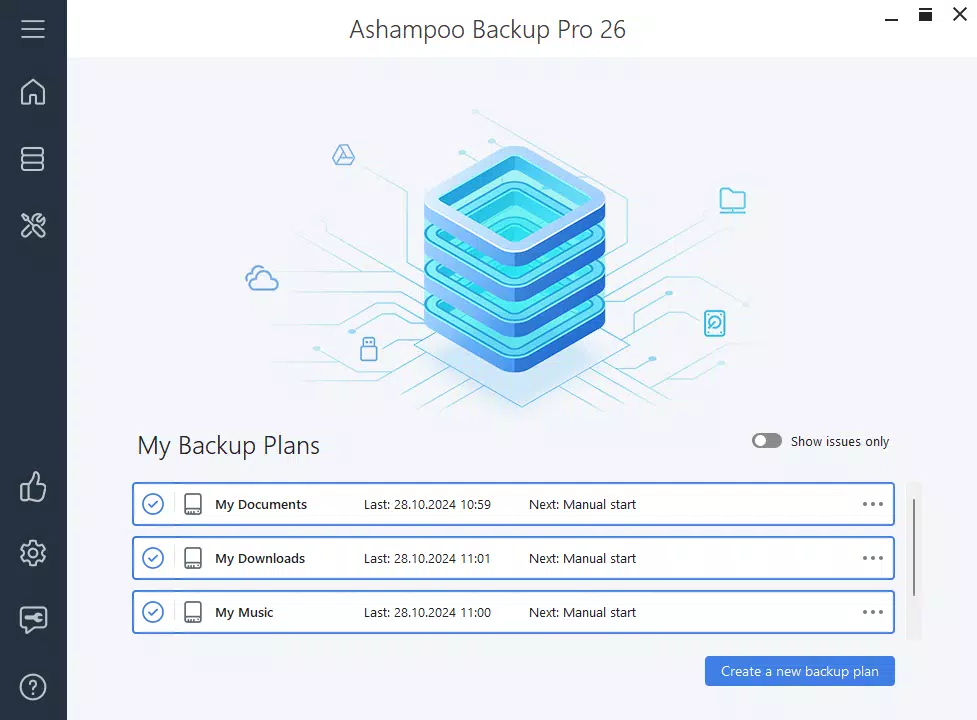
The user interface of Ashampoo Backup Pro 26 is designed with clarity and efficiency in mind. Navigation is structured around intuitive menus and visual indicators that guide users through backup setup, monitoring, and restoration processes. The layout emphasizes accessibility, with clearly labeled sections and consistent iconography that support quick decision-making.
Interaction flow is logical and streamlined, allowing users to create, manage, and restore backups with minimal clicks. The dashboard provides real-time status updates, including backup progress, completion times, and system resource usage, helping users stay informed without technical overload.
Although the developer did not list formal performance metrics, the app is described as operating with minimal resource consumption. This suggests optimized background processing, which is essential for maintaining system responsiveness during long-running backup tasks. The application is expected to perform reliably across various Windows device categories, from standard laptops to high-performance desktops.
Responsiveness and stability appear to be core strengths, supported by features like self-monitoring and backup verification. These mechanisms help prevent silent failures and ensure that backups remain valid and usable when needed. While no specific testing data was provided, the emphasis on stability and efficiency aligns with best practices for data protection software.
Platform Compatibility & Technical Requirements
Ashampoo Backup Pro 26 is designed exclusively for the Windows operating system. The app is compatible with Windows 10 and Windows 11, as indicated by the developer’s standard support policies, though specific OS version requirements were not listed in the provided information.
The application has a file size of 128.8 MB, which is relatively compact for a full-featured backup utility. This suggests efficient codebase optimization and minimal bloat, making installation and updates quick and straightforward.
Specific hardware requirements were not disclosed. However, given the app’s focus on low resource usage and background operation, it is likely to function well on systems with standard specifications. The developer did not specify minimum RAM, CPU, or disk space requirements, so users are advised to ensure their system meets general Windows application standards.
Pros and Cons
Pros
- Real-time backup ensures data is always up to date
- Simple two-step backup creation for beginner-friendly use
- Supports multiple storage options including cloud and external drives
- Includes a rescue system for emergency OS recovery
- Designed for low system resource consumption
- Optimized for performance and stability
Cons
- Not available for mobile platforms such as Android or iOS
- Price point may be high for casual users
- Specific technical requirements were not listed
- Limited to Windows operating system
- May require additional setup for cloud integration
FAQ
Is Ashampoo Backup Pro 26 compatible with Windows 10 and Windows 11?
Yes, Ashampoo Backup Pro 26 is designed for Windows and supports both Windows 10 and Windows 11. Specific compatibility details were not provided, but the app is intended for use on modern Windows systems.
Can I use Ashampoo Backup Pro 26 to back up my entire operating system?
Yes, the application supports full OS backup, allowing users to create a complete image of their system. This feature is useful for disaster recovery and system migration.
Does the app support cloud storage providers?
Yes, Ashampoo Backup Pro 26 supports uploads to multiple cloud providers, offering flexibility in where backups are stored. Specific provider names were not listed.
How does the rescue system work?
The rescue system creates a bootable environment on a USB stick or DVD. In case of OS failure, users can boot from this device to access and restore their data safely.
Is the software safe to use and secure?
Yes, the app is designed with data integrity in mind, featuring backup verification and self-monitoring. It operates securely in the background without compromising system performance.
Final Thoughts
Ashampoo Backup Pro 26 stands out as a powerful and dependable tool for users who prioritize data security and system resilience. Its real-time backup, intuitive setup, and emergency rescue capabilities make it an essential utility for anyone managing critical information on Windows systems. While the price may be a consideration for casual users, the depth of functionality and reliability justify the investment for professionals and power users.
Those who frequently work with large files, run small businesses, or simply want peace of mind knowing their data is protected will benefit most from this software. The combination of ease of use, robust features, and efficient performance positions Ashampoo Backup Pro 26 as a leading choice in the data protection category.
Download Ashampoo Backup Pro 26 now


